
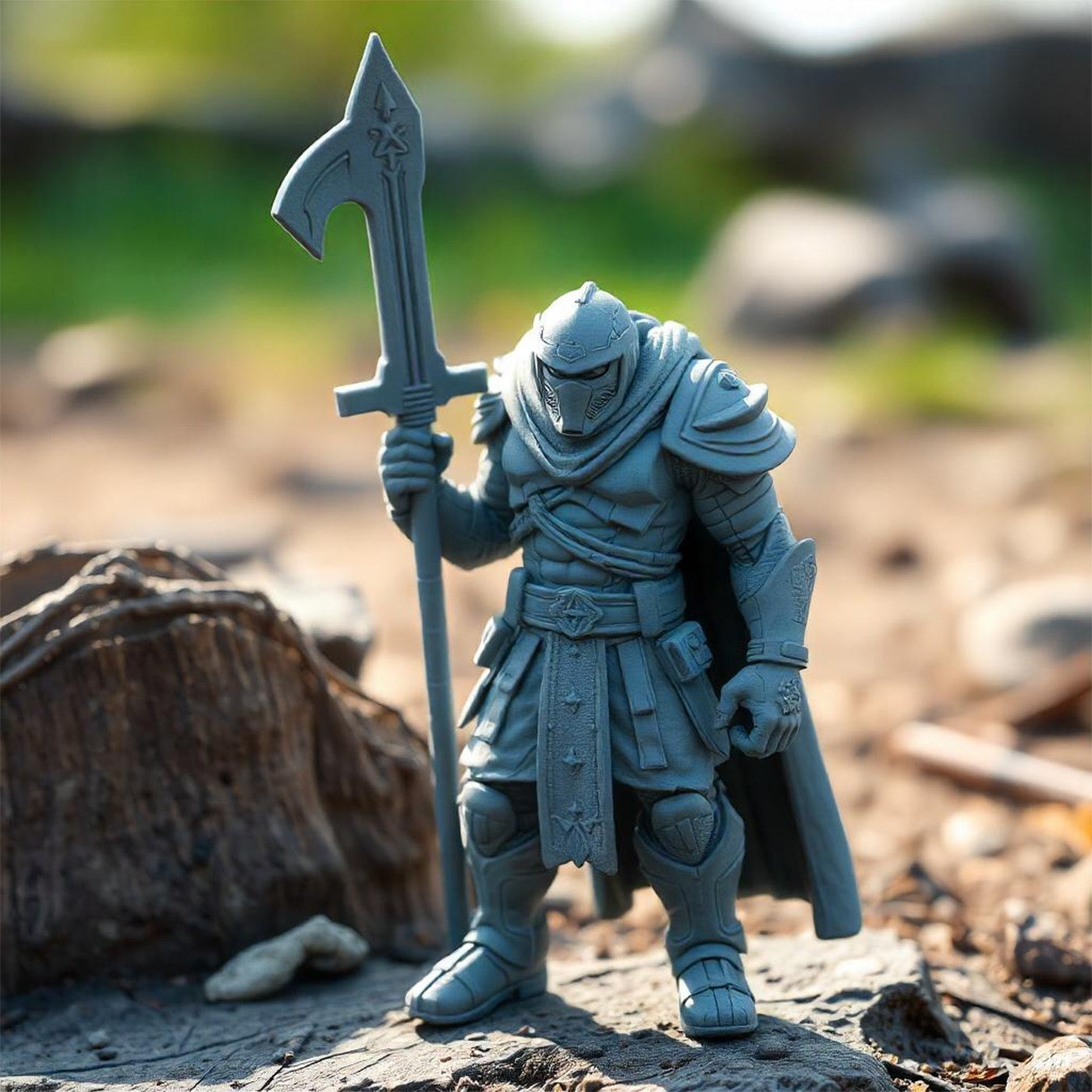
Detailed miniatures depend on accurate exposure, careful support placement, and consistent post-processing. Choosing the right 3d print resin also matters, particularly when a model includes thin claws, textured scales, facial features, or delicate accessories.
ABS-Like Resin combines fine-detail printing with toughness and impact resistance, making it worth considering for figurines and intricate models. A reliable workflow starts with calibrated exposure settings and continues through cleaning, curing, and careful support removal.
Why Consider ABS-Like Resin for Miniatures?

Miniatures often contain small features that are vulnerable during printing and handling. Fantasy creatures, tabletop figures, armor pieces, and character accessories can include narrow projections and complex surfaces that require careful preparation.
A resin formulated for detailed models can help reproduce these features while offering useful mechanical characteristics.
SUNLU ABS-Like Resin is positioned for detailed models and functional parts, with the product description highlighting fine features such as scales and claws. Its listed elongation at break is 25%, and its notched Izod impact strength is 70 J/m.
These figures provide useful context when evaluating toughness, although finished-part performance depends on geometry, exposure, and post-curing.
Which Exposure Settings Should You Start With?
Exposure affects how layers form and attach to the build plate. Bottom layers generally receive longer exposure to establish adhesion, while normal layers use shorter exposure to reproduce fine details. The product page lists the following starting ranges for compatible LCD resin printers.
| Setting | Color LCD | Monochrome LCD |
| Bottom exposure time | 20–80 seconds | 10–60 seconds |
| Normal layer exposure | 4–15 seconds | 1.5–3.5 seconds |
| Bottom layers | 5–10 | 5–10 |
These ranges are broad starting points rather than universal presets. Printer model, resin color, layer height, and light output can change the exposure required. Run a small calibration print before producing a detailed miniature.
If fine lines merge or facial features lose definition, review normal exposure. If the print fails to attach to the build plate, check leveling and bottom exposure.
Change one setting at a time and record the result. This makes it easier to identify which adjustment improves the model without introducing another printing problem.
How Should You Orient and Support Miniatures?
Model orientation affects support requirements, visible marks, and print stability. Angling a miniature can help manage large cross-sections and provide access for supports, but the right orientation depends on the shape.
Inspect the sliced preview for unsupported islands, narrow projections, and sections that begin printing before they connect to the rest of the model.
Place supports on areas where contact marks are less noticeable, such as hidden surfaces or the underside of a base. Thin weapons, fingers, horns, tails, and other projecting details may need extra support because they can flex or break during handling. Too many contact points, however, can leave additional marks on visible surfaces.
For complex figures, consider printing a small test section or a lower-cost draft before committing to a highly detailed model. This can reveal orientation or support problems early.
How Can You Preserve Fine Details?
When using abs like resin for miniatures, exposure calibration is especially important for tiny features. Excessive exposure can soften narrow gaps or cause adjacent details to merge, while insufficient exposure may produce weak features or incomplete layers. Inspect the model preview and use a calibration print with fine lines, small openings, and raised details.
Wall thickness and model scale also influence the result. A feature that looks clear on screen may be too thin to print reliably at miniature scale. Adjust the model where necessary and review the sliced version at actual layer resolution. Keep the resin and printer settings consistent when comparing revisions so the results are easier to assess.
How Should You Wash and Cure Miniatures?
After printing, remove the miniature carefully from the build plate. Wash it with isopropyl alcohol or another cleaner compatible with the resin, following the product instructions. Uncured residue can obscure small details or leave a sticky surface, so pay attention to recessed areas and textured sections.
Allow the model to dry before UV post-curing. Follow the resin and curing equipment instructions, since exposure requirements vary by setup and part geometry. Remove supports at a stage that suits the model and finishing process; very thin projections can be damaged if support removal involves too much force.
Wear appropriate gloves and protective eyewear when handling uncured resin, and work in a well-ventilated area. Handle cleaning liquids according to their safety guidance and local disposal requirements.
How Can You Troubleshoot Common Printing Problems?
If a miniature loses detail, check normal exposure and inspect the sliced preview for features that are too small. If supports fail, review their contact points, orientation, and placement around projecting parts. Poor build-plate adhesion calls for checking leveling, surface condition, and bottom exposure.
When a detail breaks after printing, consider its thickness, support layout, cleaning method, and curing conditions. Mechanical properties can affect handling, but geometry remains important. Change one variable at a time and note the outcome to build a repeatable process.
How Can You Build a Repeatable Miniature Printing Workflow?
Record the resin type, printer, exposure settings, orientation, support layout, cleaning procedure, and curing conditions for successful jobs. Reusing documented settings makes later projects easier to troubleshoot and refine.
SUNLU ABS-Like Resin provides a combination of fine-detail printing and toughness for miniature projects that suit its properties. Begin with the product’s recommended ranges, calibrate exposure for your printer, and inspect delicate features throughout the workflow. A representative test print helps confirm that the setup is suitable for the model’s scale and level of detail.
The best settings for a detailed miniature build reduce to a few points: use the resin’s published exposure range, longer bottom exposure for adhesion, and an orientation that keeps supports off visible surfaces. Keep settings consistent across revisions so results are easy to judge.
Practical tips tie it together: change one variable at a time, run a calibration print before a detailed model, and wash, dry, and cure according to the equipment instructions. SUNLU ABS-Like Resin suits figurines and intricate models when exposure and post-processing are calibrated to the actual part.
